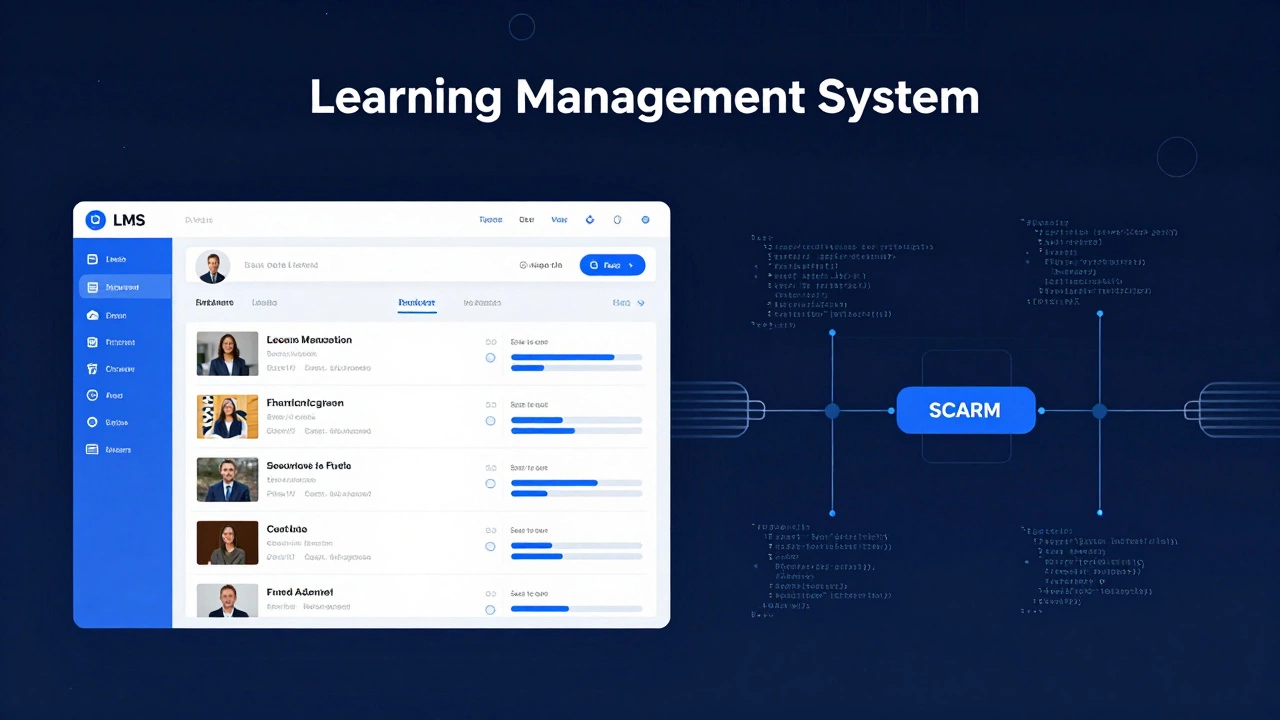
LMS vs SCORM: Which Do You Need?
Select the scenario that best describes your current situation.
The New Manager
I need to assign training courses to my employees and track who has finished them.
The Migrator
We are switching software platforms. I want to keep using our existing course files without rebuilding them.
The Creator
I am building a slide deck with quizzes and want it to work on any company's system.
You’ve probably heard these two terms thrown around in every conversation about online training. Someone says, “We need a new LMS,” and then immediately follows up with, “Make sure it supports SCORM.” It sounds like they’re talking about the same thing, or at least two competing products. But here’s the catch: they aren’t competitors. They don’t even play the same game.
If you are trying to build an e-learning strategy for your company or school, confusing these two concepts can lead to wasted money and technical headaches. One is the house where the learning happens. The other is the rulebook that ensures the furniture fits through the door. Let’s clear up the confusion once and for all.
The Core Difference: Container vs. Content
To understand the difference between an LMS and SCORM, you have to look at what each one actually does. An LMS, or Learning Management System, is the software platform. Think of it as the library, the classroom, or the app on your phone. It is the place where users log in, find their courses, track their progress, and get certificates. Popular examples include Moodle, Blackboard, TalentLMS, and Cornerstone OnDemand.
SCORM, on the other hand, stands for Sharable Content Object Reference Model. It is not a piece of software you buy. It is a set of technical standards. Imagine you are buying a DVD player (the LMS). SCORM is the standard format that ensures the DVD (your course content) will actually play on that player. Without SCORM, your video course might work on one computer but fail completely on another because there is no common language telling the system how to display the quiz or save the score.
The relationship is simple: The LMS hosts the content, and SCORM ensures the content communicates correctly with the LMS.
How SCORM Works Under the Hood
SCORM was created by the Advanced Distributed Learning (ADL) Initiative to solve a massive problem in e-learning: incompatibility. Before SCORM, if you bought a course from Vendor A, it only worked with Vendor A’s specific LMS. If you switched to Vendor B’s LMS, your courses broke. You had to rebuild everything.
SCORM fixed this by defining a common API (Application Programming Interface). When a learner clicks “Next” in a SCORM-compliant course, the course sends a message to the LMS saying, “I am still active.” When they finish a quiz, it sends another message: “The user scored 85%.” The LMS receives this data and saves it in the database.
This interaction relies on specific functions. For example, `lmsSetValue` is used to send data from the course to the LMS, while `lmsGetValue` pulls data back, like the user’s name. This handshake happens in real-time via JavaScript. If the LMS doesn’t speak SCORM, or if the course isn’t built according to SCORM rules, the handshake fails. The result? Your learners see the content, but when they finish, the system doesn’t know they did it. No completion records. No grades. Just silence.
Key Features of a Modern LMS
While SCORM handles the communication protocol, the LMS provides the actual functionality that users interact with daily. A robust LMS needs to do much more than just play videos. Here is what you should expect from a modern platform:
- User Management: Ability to create accounts, assign roles (admin, instructor, student), and manage groups.
- Content Hosting: Storage for documents, videos, SCORM packages, and external links.
- Tracking and Reporting: Dashboards that show who has completed what, how long they spent on each module, and their test scores.
- Assessment Tools: Built-in quiz engines, surveys, and certification issuance.
- Communication: Forums, messaging systems, and notification alerts.
When choosing an LMS, you are evaluating its interface, speed, mobile responsiveness, and support. You are not evaluating SCORM, because SCORM is already baked into almost every reputable LMS on the market today. However, you do need to check which *version* of SCORM the LMS supports.
Why Compatibility Matters: The Version Trap
Here is where things get tricky. SCORM isn’t static. It has evolved over time. The most common versions you will encounter are SCORM 1.2 and SCORM 2004. There is also xAPI (Tin Can API), which is the newer successor, but let’s stick to SCORM for now.
SCORM 1.2 is the older, simpler standard. It tracks basic metrics: did the user complete the course? What was the final score? It’s reliable and works everywhere. SCORM 2004 is more complex. It allows for detailed tracking of individual interactions within a lesson. For example, it can record whether a user answered question 3 correctly before moving to question 4, or if they paused the video halfway through.
If you build a course using SCORM 2004 features but upload it to an LMS that only fully supports SCORM 1.2, you might lose that granular data. The course will play, but the advanced tracking won’t work. Always check your LMS documentation to see which version it prioritizes. Most modern LMSs support both, but knowing the difference helps you design better assessments.
| Feature | LMS (Learning Management System) | SCORM (Standard) |
|---|---|---|
| What is it? | Software Platform | Technical Specification |
| Primary Function | Hosts, delivers, and manages learning content | Ensures content plays and tracks data across different LMSs |
| User Interaction | Users log in, take courses, view reports | Invisible to the end-user; runs in the background |
| Cost | Subscription or license fees (monthly/yearly) | Free (it’s an open standard) |
| Examples | Moodle, Canvas, Docebo, LearnDash | SCORM 1.2, SCORM 2004 3rd Edition |
| Dependency | Requires SCORM to run standardized courses | Requires an LMS to be viewed and tracked |
Common Misconceptions About E-Learning Tech
I often hear people say, “We need to buy SCORM.” That’s like saying, “We need to buy HTML.” You don’t buy HTML; you write code that complies with HTML standards so it displays in a browser. Similarly, you don’t buy SCORM. You buy an authoring tool (like Articulate Storyline or Adobe Captivate) that exports your course *as* a SCORM package. Then you upload that package to your LMS.
Another myth is that SCORM is dead. With the rise of xAPI and Tin Can API, some experts claim SCORM is obsolete. While xAPI offers more flexibility-tracking learning outside the LMS, like watching a YouTube video or attending a workshop-SCORM is still the industry workhorse. It is stable, widely supported, and perfectly adequate for most compliance training and corporate onboarding. Unless you have very specific needs for cross-platform tracking, SCORM remains the safest bet for compatibility.
Choosing the Right Stack for Your Organization
So, how do you put this together? If you are starting from scratch, follow this path:
- Select an LMS first. Look for ease of use, reporting capabilities, and budget. Ensure it explicitly states support for SCORM 1.2 and 2004.
- Choose an Authoring Tool. This is where you build the slides, quizzes, and videos. Make sure it can publish to SCORM.
- Build your content. Design your course modules. Keep in mind that SCORM packages are essentially zipped folders containing HTML files, images, and a manifest file (`imsmanifest.xml`) that tells the LMS how to read the content.
- Test thoroughly. Before rolling out to hundreds of employees, upload the SCORM package to your LMS and test it yourself. Check if the completion status updates. Check if the score transfers. If it doesn’t work in testing, it won’t work in production.
Remember, the LMS is your infrastructure. SCORM is your bridge. You need both to move learners from point A to point B effectively. Don’t let the jargon scare you. Once you separate the platform from the protocol, the whole ecosystem becomes much easier to navigate.
Troubleshooting Common Issues
Even with the right setup, things can go wrong. Here are three common issues and how to fix them:
Issue 1: The course plays, but doesn’t mark as complete. This usually means the SCORM package wasn’t configured to send the “completed” status. Go back to your authoring tool and check the publishing settings. Ensure “Completion Tracking” is set to trigger based on either finishing all slides or passing a quiz.
Issue 2: The LMS throws an error when uploading the zip file. Sometimes, antivirus software or firewalls block the upload of .zip files. Try renaming the extension to .scorm or check with your IT team. Also, ensure the file size isn’t exceeding the LMS limit. Large video-heavy courses can hit these caps quickly.
Issue 3: Data disappears after refreshing the page. This is a caching issue. SCORM relies on local storage and cookies to pass data between the course window and the LMS parent window. Clear your browser cache, try an incognito window, or switch browsers. Chrome and Firefox generally handle SCORM APIs better than older versions of Internet Explorer (which, thankfully, is mostly gone).
Can I use SCORM without an LMS?
Technically, yes, but it’s pointless. SCORM is designed to communicate with an LMS. Without an LMS, there is no system to receive the data, track progress, or store user records. You could technically unzip a SCORM package and open the HTML files in a browser, but none of the tracking or interactivity would function properly.
Is SCORM free to use?
Yes, SCORM is an open standard maintained by the ADL Initiative. There are no licensing fees to use SCORM specifications. However, you may need to pay for authoring tools that create SCORM-compatible content, and you will likely pay for the LMS that hosts it.
What is the difference between SCORM and xAPI?
SCORM tracks learning within a closed LMS environment. xAPI (Experience API) allows tracking of learning experiences anywhere-in the real world, on mobile apps, or in virtual reality. xAPI sends data to a Learning Record Store (LRS) rather than directly to an LMS. SCORM is simpler and more universal; xAPI is more flexible and powerful but requires more setup.
Do all LMS platforms support SCORM?
Most reputable LMS platforms support SCORM 1.2 and SCORM 2004. However, some lightweight or niche platforms may only support basic video hosting without full SCORM tracking. Always verify the compatibility list on the LMS vendor’s website before purchasing.
Which SCORM version should I choose?
For most general training purposes, SCORM 1.2 is sufficient and offers the widest compatibility. Choose SCORM 2004 if you need detailed tracking of learner interactions, such as which specific questions were answered incorrectly or how much time was spent on each slide.